How to Choose a Home Theater Receiver
The AV receiver is the nerve center of a conventional home theater. It accepts signals from every source component, decodes the audio format the content was mixed in, amplifies the decoded signal, and routes it to each speaker in the system. Pick the right one and it disappears into the background, doing its job without calling attention to itself. Pick the wrong one and you either run out of channels, run short on power, or pay for processing capabilities your room cannot use.
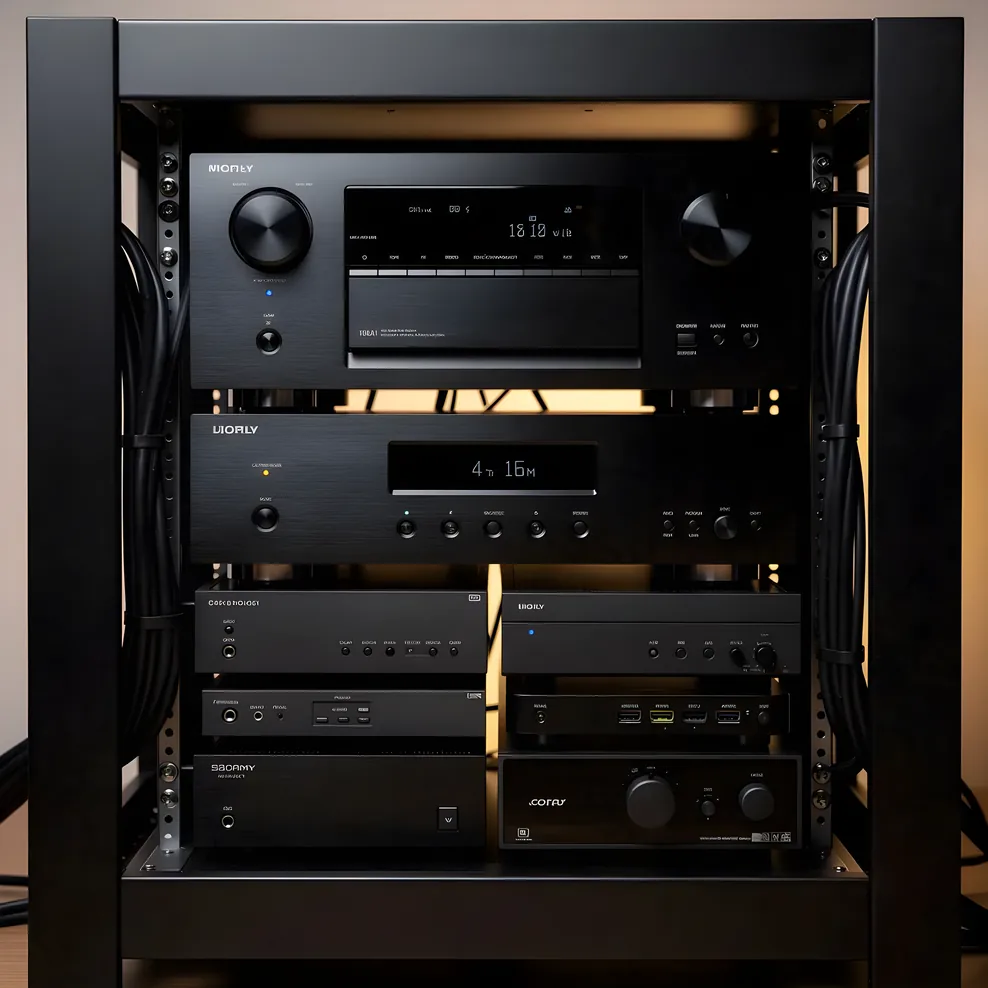
This guide covers the decisions that actually matter: channel configuration, power output in context, HDMI 2.1 and gaming features, room correction systems, and when separates are worth the added complexity. It is organized around your room and speaker layout, not around brand rankings.
Channel Count: Match the Receiver to Your Speaker Layout
Channel count is the specification most buyers focus on first, and it is the right place to start, provided you work backward from your speaker configuration rather than forward from the receiver's maximum capability.
A conventional 5.1 surround sound system has five speakers (front left, front right, center, surround left, surround right) and one subwoofer. That requires a 5.1 receiver. Adding two Dolby Atmos height speakers turns it into a 5.1.2 system. The notation works as follows: the first number is the surround channel count, the second is the subwoofer count, the third (when present) is the height channel count. A 5.1.2 Atmos system requires a receiver with at least seven amplifier channels, two of which are assigned to the overhead or upward-firing height speakers.
A 7.2.4 configuration, which is the most common layout in dedicated cinema rooms with adequate ceiling clearance, requires nine amplifier channels minimum. Some receivers are sold as 9.2-channel units and can handle this. Others require external amplification for the extra channels, which adds complexity and cost.
The practical planning question is not "what is the most channels I might ever want?" but "what speaker layout does my room support?" A converted 12-by-16-foot bedroom may be ideal for a 5.1.2 configuration and acoustically problematic for a 7.2.4 layout. The Dolby Atmos planning guide covers how room dimensions and ceiling height determine how many height channels you can actually use.
Buying a receiver with one tier more channels than your current setup is a reasonable hedge. If you have a 5.1.2 system today and your room could accommodate 7.1.4 later, a 9-channel receiver gives you room to grow without replacing the unit. Buying three or four tiers ahead is rarely worth the cost.
Power Output: The Watt Number in Context
Wattage is the specification most often misread in receiver shopping. Higher numbers are not inherently better. The power output that matters is the output relative to your speakers' sensitivity and your room's size.
Speaker sensitivity is measured in decibels at one meter with one watt of input. A speaker rated at 91 dB sensitivity is meaningfully more efficient than one rated at 86 dB. At the same listening volume, the 91 dB speaker requires roughly one-quarter the amplifier power of the 86 dB speaker. A receiver with 80 watts per channel driving high-sensitivity speakers in a medium-sized room will be running well within its capabilities. The same receiver driving low-sensitivity speakers in a larger room may reach its limits during dynamic film content, which causes clipping distortion and can damage tweeters.
For most private cinema rooms under 300 square feet, 80 to 120 watts per channel is sufficient when matched to speakers with reasonable sensitivity. Larger rooms or low-sensitivity speaker choices push the requirement higher. Receiver manufacturers sometimes publish power ratings at specifications that overstate real-world output: a unit rated at "150 watts per channel" measured with two channels driven at high distortion levels may produce considerably less in a real multi-channel configuration. Published specs from independent reviewers with load measurements across all channels are more useful than manufacturer numbers.
A related consideration for Bay Area homeowners: older homes with subpanel capacity of 60 or 100 amps, and rooms sharing circuits with other loads, can experience voltage sag during high-demand playback. A receiver with a robust power supply handles voltage variation better than budget units. This is a real constraint in pre-1970 housing where dedicated theater circuits are not already in place.
HDMI 2.1: Who Actually Needs It
HDMI 2.1 is the connection standard supporting 4K video at 120 frames per second, Variable Refresh Rate (VRR), and Auto Low Latency Mode (ALLM). These three features together describe the ideal signal path from a gaming console to a display.
If you use a PlayStation 5, an Xbox Series X, or a similarly capable gaming console as a source component in your theater, and if you want the full performance the console can produce, you need HDMI 2.1 ports on both the input side (where the console connects to the receiver) and the output side (where the receiver connects to your display). VRR reduces screen tearing during fast motion. ALLM tells the display to switch automatically to its lowest-latency processing mode when game content is detected. Both matter for gaming; neither has any effect on film content.
For a room used solely for films and streaming content, HDMI 2.0 handles 4K at 60 frames per second without any functional limitation. Paying a significant premium for HDMI 2.1 in a non-gaming setup is unnecessary.
One practical caveat: HDMI 2.1 implementation quality varied significantly across the first generation of receivers sold with the feature. Some units had known firmware issues with 4K/120 passthrough. If HDMI 2.1 gaming performance is a priority, verify the specific model's track record rather than assuming the feature works as advertised across all units.
Room Correction Systems: Audyssey, Dirac, and YPAO
Every room imposes its acoustic character on whatever plays through the speakers in it. Parallel walls create standing waves. Room modes cause certain bass frequencies to pile up at specific positions. Even in a properly treated private cinema, the acoustic environment is not flat. Room correction software measures these irregularities at the listening position and applies corrective EQ to reduce them.
The three systems you will encounter most often are Audyssey, Dirac Live, and YPAO.
Audyssey is the most widely deployed. Its base implementation ships in most mid-range receivers and performs a multi-point measurement that averages several listening positions. The result is a calibration optimized for the room as a whole rather than a single seat. Higher tiers of Audyssey, marketed as MultEQ XT and MultEQ XT32, increase the precision of the low-frequency correction. A companion app gives direct access to the EQ curves and lets you adjust target curves without the restrictions of the receiver's onscreen controls.
Dirac Live is available in certain receivers and as a paid upgrade in others. Its distinction is a time-domain correction that addresses not just frequency response but also the timing relationships between direct sound and room reflections. Audiophiles who have compared Dirac to Audyssey in the same room often find Dirac produces a more coherent result, particularly in the bass. The tradeoff is cost: the full-bandwidth version of Dirac Live is a paid addition on most platforms.
YPAO is Yamaha's in-house system. Its basic version performs competently. The reflected sound control variant, available on higher-tier Yamaha receivers, adds a multi-angle measurement process that accounts for reflected sound differently than Audyssey's averaging approach. It works well in Yamaha's ecosystem and is not available on other brands.
Room correction does not eliminate the need for physical acoustic treatment. Bass traps and absorptive panels address the physical cause of room problems. Room correction software addresses the resulting acoustic effect at the measurement position. Both working together produce better results than either alone. The home theater acoustic panels guide covers treatment placement before you run calibration.
Streaming, Wireless, and Built-In Features
Most receivers above the entry tier include network connectivity, streaming service support, and multi-room audio features. How much these matter depends on how your source components are arranged.
If your primary content source is a streaming device (Apple TV, a gaming console with streaming apps, or a dedicated streamer), the receiver's built-in streaming features are largely redundant. The streaming device handles content delivery; the receiver handles audio decoding and amplification. In that configuration, the receiver's app ecosystem is not a meaningful differentiating factor.
If you plan to stream music through the theater speakers without turning on the video display, built-in streaming support becomes more relevant. Receivers with AirPlay 2 support allow Apple devices to send audio directly. Those with HEOS or MusicCast (Denon/Marantz and Yamaha's respective multi-room platforms) integrate with whole-home audio systems if you have other zones. These features add cost and can add update dependencies; a receiver that requires frequent firmware updates to maintain streaming service compatibility may become a maintenance burden over time.
Wireless speaker connections have not replaced wired runs in performance home theater. Proprietary wireless rear speaker solutions exist and work adequately in media room contexts where running cable through finished walls is not practical. In a dedicated cinema room where the construction accommodates proper speaker placement, wired rear channels produce more reliable results.
Receivers vs. Separates: When to Consider the Upgrade
An AV receiver combines a preamplifier-processor and a multi-channel power amplifier in a single chassis. AV separates split those functions: a dedicated preamp-processor handles all the decoding and signal routing, while one or more external power amplifiers handle amplification. The result is potentially better sound quality, but at significantly higher cost and complexity.
The case for separates strengthens when your speaker system requires sustained power delivery that exceeds what any receiver chassis can provide, when you want to upgrade amplification without replacing the processing unit, or when total system cost puts you in a category where the quality ceiling of receivers is a real constraint. For a room with speakers in the $5,000 and above range, a matched set of separates often makes acoustic sense.
For most Bay Area homeowners planning a first dedicated room, a well-specified receiver in the $1,500 to $3,000 range covers the full job. The receivers in this tier offer complete Atmos decoding, room correction, multiple HDMI inputs, and sufficient amplification for all but the largest rooms or most demanding speaker loads. The room dimensions common in Bay Area conversions, typically 12 by 16 to 14 by 20 feet, do not demand the sustained output levels that push a quality receiver to its limits.
If your project budget is above $20,000 for equipment and your speaker choice is in a tier where amplification quality is audible, the separates conversation is worth having with an AV integrator who can model your specific room and speaker combination.
The home theater planning guide covers how equipment decisions fit into the broader sequence of design choices, including how to structure conversations with an integrator when you reach that stage.
Where the Receiver Fits in the Equipment Sequence
The receiver is not the first decision in a home theater build. The right sequence starts with the room, then the speaker layout, then the display (projection or flat panel), and then the receiver that matches the speaker configuration and the room's amplification needs. Choosing a receiver first, then trying to find speakers and a display that work around it, tends to produce mismatched systems.
The equipment guides hub covers the full sequence: display choice, projector selection, screen type, speaker configuration, and acoustic treatment. The receiver guide is one piece of that picture. Read the speaker and display guides alongside this one to understand how the specifications interact.
Frequently Asked Questions About Home Theater Receivers
How many channels do I need in a home theater receiver?
The channel count you need depends on your speaker layout. A 5.1 setup requires a 5.1-capable receiver. Adding two Dolby Atmos height channels brings you to 5.1.2, which needs a 7-channel receiver with two channels reassigned to overhead speakers. A full 7.2.4 Atmos configuration requires a 9- or 11-channel receiver. Match the receiver to the speaker count your room can accommodate, not the maximum the spec sheet allows.
How much wattage do I need in a home theater receiver?
For most home theater rooms under 300 square feet, 80 to 100 watts per channel is sufficient. The more relevant variable is your speakers' sensitivity rating. High-sensitivity speakers (90 dB and above) reach high volume levels with modest amplification. Low-sensitivity speakers (84 to 87 dB) require more power to reach the same loudness. A room-sensitivity combination that mismatches can lead to a receiver running near its limits, which increases distortion.
What is HDMI 2.1 and do I need it in a receiver?
HDMI 2.1 is the connection standard that supports 4K video at 120 frames per second, Variable Refresh Rate (VRR), and Auto Low Latency Mode (ALLM). These features matter primarily for gaming. If you use a gaming console as a source component and want the full performance of 4K/120 gaming, you need a receiver with HDMI 2.1 ports on both the input and output side. For a room used exclusively for film and streaming, HDMI 2.0 remains adequate.
What is room correction software and do I need it?
Room correction software measures the acoustic output of your speakers at the listening position and applies digital filters to compensate for the room's acoustic problems. Common systems include Audyssey, Dirac Live, and YPAO. In most domestic rooms, room correction produces a meaningful improvement, particularly in the low frequencies where room modes cause uneven bass response. It is not a substitute for physical acoustic treatment but complements it.
When does it make sense to use separates instead of a receiver?
Separates make sense when your speaker system requires more power than any receiver provides, when you want to upgrade amplification independently, or when you are building a system above roughly $15,000 to $20,000 in total equipment cost. For most homeowners planning a dedicated room at typical Bay Area project budgets, a high-quality receiver in the $1,500 to $3,000 range handles the full job without the added complexity of multiple chassis and interconnects.
The full equipment and design guide collection is at Bay Area Home Cinema.