Home Theater Smart Home Integration
When a home theater operates as its own island — its own remote, its own inputs, its own lights on a separate switch — the friction of using it adds up. Every session starts with the same sequence of button presses and ends with wondering which device is still on. Smart home integration solves this by treating the theater as one coordinated system rather than a collection of individual components.
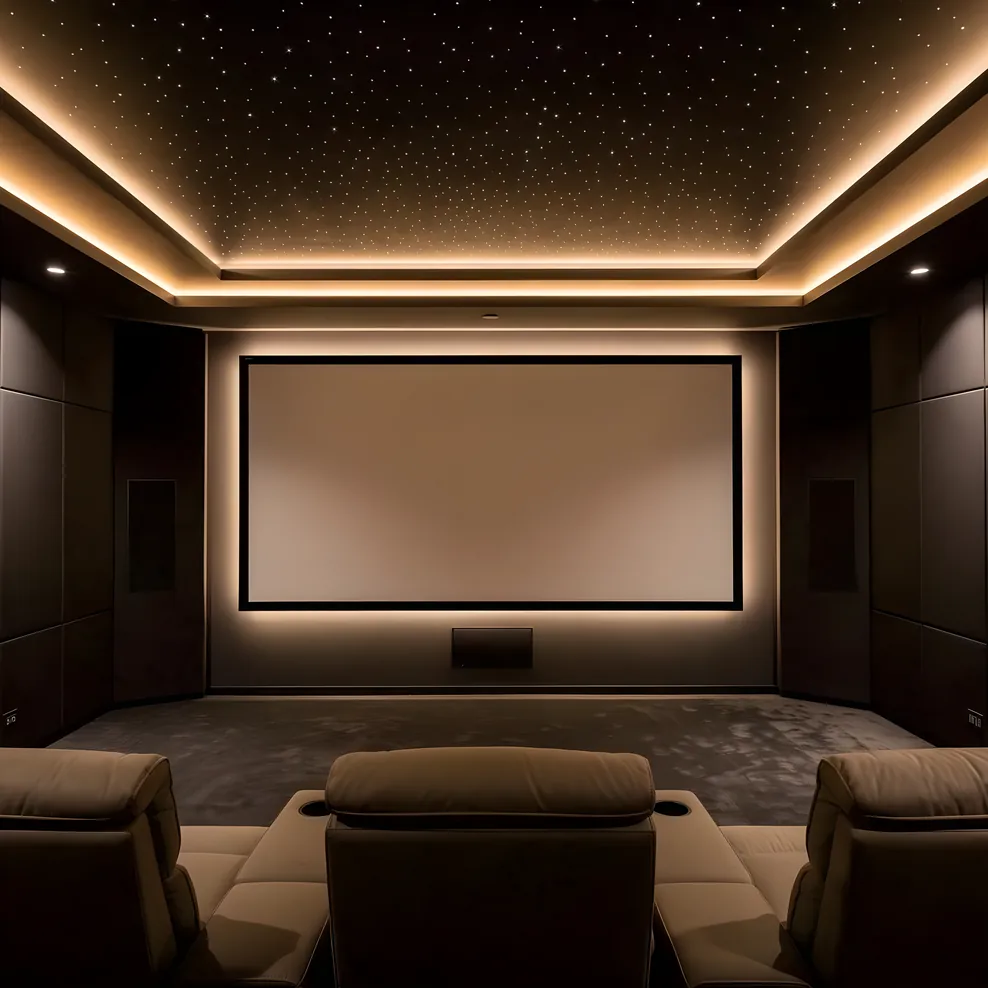
For Bay Area homeowners, the integration question often isn't whether to do it. In a market where whole-home automation is standard in new construction and expected in remodels, the real question is which platforms to use, how deeply to integrate, and what decisions need to be made now so the conduit runs in the right place before the walls close.
This guide covers the planning decisions, not the product catalog. The goal is for you to understand what's involved before you talk to an AV integrator, so you know which questions to ask and which choices will be difficult to reverse later.
Movie Mode: What a One-Touch Scene Actually Does
The most useful thing smart home integration does for a home theater is collapse a multi-step startup routine into a single action. A well-designed "movie mode" scene handles, in sequence:
- Dim the room lighting to a preset level (typically 10-15% for ambient viewing, 0% for full blackout)
- Drop motorized shades to their closed position
- Power on the projector or display and wait for it to warm up
- Power on the AV receiver and allow it to initialize
- Switch the receiver to the correct input
- Set the HVAC fan to a reduced-speed or paused state
The sequence matters. A projector and receiver powered on simultaneously without a delay script will sometimes fail to handshake correctly, particularly on HDMI connections with older equipment. A properly programmed scene staggers device power-on by 3-5 seconds to avoid this. This is one of the reasons professional control systems like Control4 and Savant produce more reliable results than consumer automation apps — they support conditional logic and timed sequences that simpler platforms handle poorly.
The reverse scene (often called "goodnight," "end movie," or simply "lights") powers everything down in reverse order and returns the lighting to a normal level.
Control Interfaces: Remote, App, Voice, and Wall Panel
Four control interface types are commonly used in home theater smart home setups, and most installations use a combination of them.
Universal remotes handle in-hand AV control during a session. A touchscreen remote (programmed with the correct device codes) lets you adjust volume, switch inputs, and manage playback without picking up multiple devices. The better remotes also trigger your smart home scenes, so pressing "Watch TV" on the remote can execute the full startup sequence in addition to controlling the AV components directly.
Wall panels are fixed keypads installed near the room entrance, typically running on Lutron or Control4. They handle the room-level commands: start a movie, end a movie, set a specific lighting scene for cleaning or pre-show socializing. Wall panels are often the preferred interface for family members who don't want to learn an app or find a remote. They're also the right interface when guests are using the room.
Mobile apps work well for configuration, for one-off adjustments, and for homeowners who want full control from their phone. They're not the right primary interface for a theater session because phones go face-down, lose charge, and get left in other rooms. Use the app to set things up and troubleshoot; use the remote and wall panel to run sessions.
Voice control via a voice assistant (built into the smart home platform or linked to a third-party assistant) is genuinely useful for quick adjustments: volume changes, pausing, asking for a specific input. It's less reliable as the primary trigger for a full scene, particularly in rooms with high-quality acoustic treatment that can affect microphone pickup. Position any voice assistant device away from bass traps and absorptive panels.
Smart Home Protocols: What They Are and Why It Matters
The protocol question comes up during planning because different protocols behave differently in terms of latency, range, and device compatibility. Making sense of them before your integrator specifies equipment will help you evaluate proposals.
Wi-Fi connects AV equipment, smart TVs, and streaming devices directly to your home network. Most current projectors, receivers, and streaming hardware use Wi-Fi or, preferably for a theater, a wired Ethernet connection. Wired Ethernet to the AV rack is strongly preferred over Wi-Fi for 4K content delivery. A router with a dedicated 2.4 GHz and 5 GHz band separation helps prevent streaming devices from competing with smart home devices for bandwidth.
Zigbee is a mesh protocol used for smart lighting, switches, and sensors. Zigbee devices form a self-healing mesh network, which means the more Zigbee devices in a space, the more reliable the signal. Lutron's proprietary protocol (used in RadioRA and Caseta systems) operates similarly but is closed. For theater lighting where low latency matters, Zigbee or Lutron's proprietary system is more responsive than Wi-Fi-based lighting.
Z-Wave operates on a different frequency than Zigbee (908 MHz in the US) and is used for sensors, locks, and some lighting. It has a range advantage over Zigbee but supports fewer simultaneous devices on a network. For a home theater, Z-Wave is most relevant if your broader smart home uses it for security sensors or HVAC integration.
Matter is a newer cross-platform standard supported by Apple HomeKit, Google Home, and Amazon Alexa. Matter devices can be controlled by any of these ecosystems, which reduces lock-in. As of 2026, the range of Matter-compatible lighting and AV-adjacent devices is expanding, but professional control systems like Control4 and Savant maintain their own command sets alongside Matter support rather than relying on it exclusively.
For a professional-grade home theater integration, your AV integrator will typically combine a professional control system (for AV device management) with a lighting control platform (for the theater's lighting and shade automation) and your existing or planned whole-home automation system.
Lighting Automation for the Theater Room
Lighting in a home theater does more than set atmosphere. It affects perceived image contrast, eye adaptation when the screen is off, and physical safety when people move around during a session. A properly planned theater lighting system has at least three layers.
Task lighting covers the room when it's being used for other purposes: reading, conversations before the movie, cleaning. This is your normal full-brightness mode, typically controlled via the wall panel or app.
Ambient or "pre-show" lighting sets a lower level (30-50%) for the period before playback begins. This gives eyes a chance to begin adjusting toward lower light levels before the projector starts, which improves the perceived contrast of the image in the opening minutes of a film.
Bias lighting is low-intensity lighting placed behind the projection screen or display, typically at a color temperature matched to the content being viewed (6500K for cinema content is the standard). Bias lighting reduces eye strain during extended viewing by preventing the extreme contrast shift between a bright screen and a completely dark surround. It is not the same as room lighting and should be on a separate dimmer circuit or smart bulb group.
For the home theater lighting design guide, the specifics of bias lighting placement, step lighting for aisles, and blackout solutions for Bay Area homes with large windows are covered in detail.
The integration point here is that all three of these lighting layers should be addressable from your smart home scenes. Your movie mode scene should know to bring task lighting to zero, bias lighting to its correct level, and step lighting to a very low setting for safety during playback.
Motorized Shades in a Theater Room
Daylight control is one of the most consequential decisions in a home theater design, and motorized shades are how you manage it without manually pulling blinds before every session.
A projector typically outputs 2,000-3,500 lumens in a calibrated home theater setup. Ambient daylight from a single uncovered window can exceed 10,000 lux, which washes out the projected image completely even with blackout curtains partially covering the opening. Motorized blackout shades with a light-tight side-channel track are the standard solution for rooms that receive direct or indirect daylight during typical viewing hours.
In the Bay Area, west-facing rooms on the Peninsula and in the East Bay are particularly affected by afternoon sun. If your theater room faces west or southwest, plan for full-blackout motorized shades from the beginning rather than layering on solutions after installation.
Shades integrate into smart home scenes via a dedicated shade controller. Lutron's Sivoia QS system is common in professional installations. Consumer systems often use Zigbee or Wi-Fi motorized shades from manufacturers whose hubs integrate with HomeKit, Google Home, or SmartThings. The functional requirement for theater use is that shades can be assigned a fully closed position as part of a scene — not just "close" but "close to calibrated position" so the shade bottom reaches the sill every time without adjustment.
HVAC Quiet Mode During Playback
At reference listening levels (typically 75-85 dB average for film content), a standard forced-air HVAC system running at full fan speed can add 35-45 dB of background noise at the listening position. During quiet passages — a whispered conversation, a tense silence before a musical cue — that noise is audible and distracting. It's a common issue in Bay Area homes where central HVAC was added to older housing stock and ductwork wasn't routed with acoustic isolation in mind.
The most practical solution is pre-conditioning the room before a session begins. Cool or heat the room to a comfortable temperature 30-45 minutes before the movie starts, then set the HVAC to a reduced fan speed or a hold at the current temperature for the duration of the session. A smart thermostat with fan speed control (Ecobee supports this with its ventilation settings) can be integrated into your movie mode scene to execute this automatically.
For new construction or significant remodels, a ducted mini-split system with a variable-speed blower is quieter than a traditional forced-air system and can be integrated into most professional control platforms via its own interface. The quieter baseline reduces the need to pause the system entirely.
Planning Decisions That Affect Smart Home Integration
Several choices made during the design and rough-in phase have lasting consequences for what your smart home integration can do and how well it works.
Conduit placement is the first. Low-voltage wiring for lighting control, shade motors, wall panels, and network drops should be run in dedicated conduit during rough-in. Retrofitting these after drywall is expensive and sometimes impossible without opening walls. The conduit doesn't need to be filled immediately, but having the pathway from the equipment rack to the lighting locations and window openings is worth planning for.
Network infrastructure in the theater room needs to support wired Ethernet connections to the projector, receiver, streaming device, and control system processor. A smart home theater running on Wi-Fi is always one interference event away from a buffering problem. Run Cat6 to the rack during rough-in rather than relying on a wireless bridge.
Panel capacity is a real constraint in older Bay Area homes. A 100-amp panel in a 1960s ranch house does not have comfortable headroom for a home theater rack plus motorized shades plus a new lighting control system. The home theater planning mistakes guide covers this in more detail, but the short version is that an electrician should assess panel capacity early in the project, not as an afterthought.
Platform choice affects who can program and service the system. Control4 and Savant require a certified dealer to make programming changes — you cannot modify scenes or add devices yourself. Lutron RadioRA requires a certified installer for initial setup but some changes can be made via the app. Apple HomeKit, Google Home, and Matter-based systems are self-managed but have more limited AV control depth. Choose based on how much control you want over ongoing customization versus how much you want managed for you.
For Bay Area homeowners connecting their theater to a larger whole-home system, the Bay Area home theater guide covers the integrator selection process and what to look for in a certified AV professional.
Where Smart Home Integration Fits in the Planning Sequence
Smart home integration is not the last decision in the planning process. The platform choice, network design, and conduit routing all need to be finalized before rough-in work begins, which means before your general contractor or AV integrator starts on walls.
Work through your home theater planning fundamentals first: room dimensions, acoustic treatment strategy, and seating layout. Then bring in your AV integrator to design the system, including the control platform, before the rough-in phase begins. The integrator's input on conduit paths, low-voltage rough-in, and network infrastructure placement will affect what the electrician and framer do.
Once your room is built and your system is programmed, a well-integrated private cinema operates with less effort than a conventional TV room. The technology gets out of the way, and the room does what it's supposed to do.
Frequently Asked Questions
What is a "movie mode" scene in a smart home theater?
A movie mode scene is a pre-programmed automation that triggers multiple devices at once from a single button press or voice command. A typical setup dims the lights to 10%, lowers motorized shades to block daylight, powers on the projector or TV, switches the receiver to the correct input, and sets the HVAC fan to a quiet mode — all within a few seconds. The scene runs in a defined sequence to avoid device conflicts, particularly the delay required between powering on AV components.
What smart home protocols work with home theater equipment?
The main protocols used in home theater smart home integration are Wi-Fi (for IP-controllable AV equipment), Zigbee (for low-latency lighting and switches), Z-Wave (for sensors, locks, and some lighting), and Matter (a newer cross-platform standard supported by Apple HomeKit, Google Home, and Amazon Alexa). Professional control systems like Control4 and Savant use IP commands alongside these wireless protocols and also use RS-232 and IR for legacy AV equipment that lacks network interfaces.
Do I need a professional installer for home theater smart home integration?
It depends on the complexity. A basic setup using Apple HomeKit or a universal remote app can be self-managed if your devices support those ecosystems. A whole-home system with Control4, Lutron RadioRA, or Savant requires professional programming. These platforms are not self-installable and require a certified dealer for initial setup and ongoing changes. In the Bay Area, most dedicated theater installations involve a professional AV integrator who handles both the audio-visual design and the control system.
How do motorized shades integrate with a home theater?
Motorized shades connect to your smart home control system via a dedicated shade controller (Lutron Sivoia QS is common for professional installations) or through Wi-Fi and Zigbee for consumer-grade systems. In a home theater context, shades are assigned to scenes: they close automatically when a movie mode activates and can be set to a specific position for partial blackout during daytime viewing. Bay Area homes with large windows facing west often need blackout-rated shades rather than light-filtering options to achieve a true theater environment during afternoon screenings.
What is HVAC quiet mode and why does it matter for a home theater?
HVAC quiet mode reduces the fan speed or pauses the system during playback to prevent duct noise from bleeding into the listening environment. At reference listening levels, a well-designed forced-air system running at normal speed can register 35-45 dB at the listening position — audible over quiet film passages and soft musical scores. Quiet mode integration requires either a smart thermostat with fan speed control or a direct integration between your control system and the HVAC controller. Pre-cooling the room before a session and then holding temperature works better than running the system continuously during playback.
For the complete Bay Area home cinema planning guide collection, visit Bay Area Home Cinema.