Projector vs TV for Home Theater: How to Decide for Your Room
Most conversations about projectors versus TVs for home cinema become debates about picture quality. That is the wrong frame. Both technologies can produce excellent images. What they cannot do is perform equally in every room condition, and room conditions are what most people have to work with rather than choose.
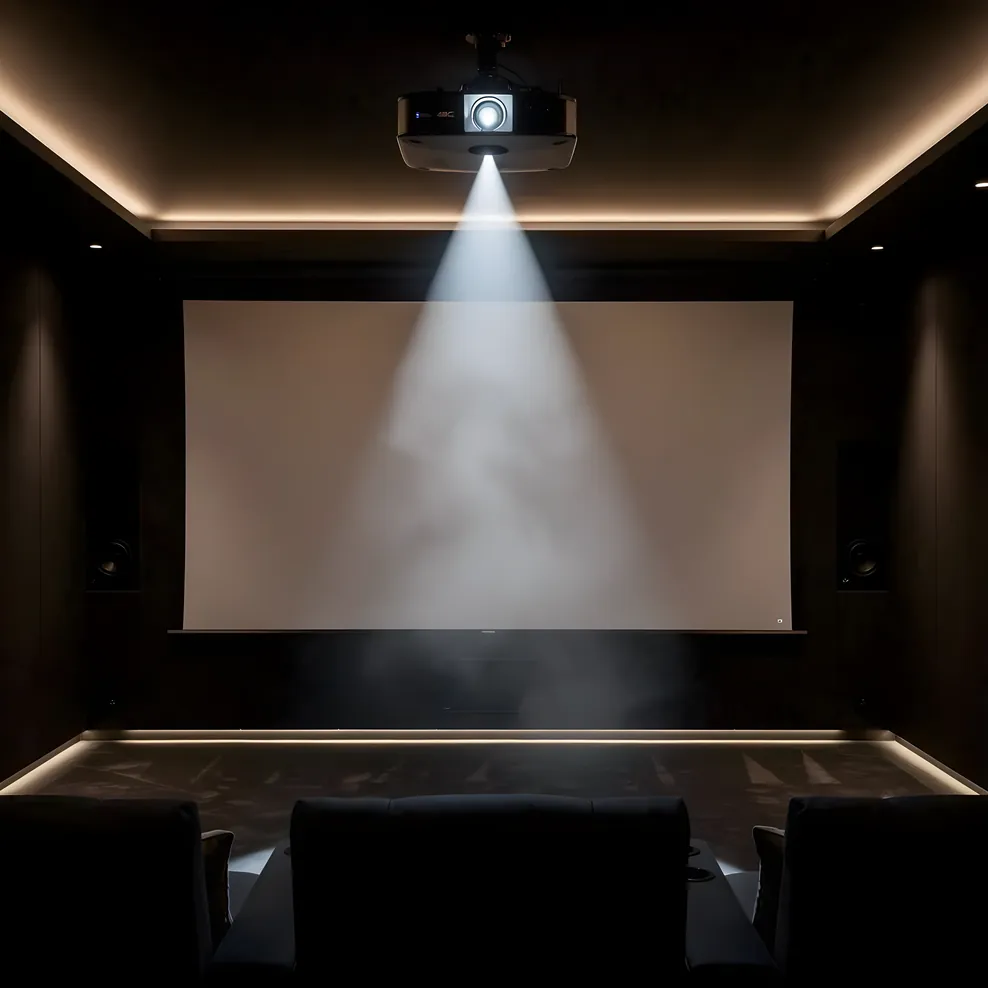
The more useful question is: what does your specific room allow? Once you answer that, the projector-versus-TV decision often resolves itself.
The Single Biggest Variable: Ambient Light
A projector throws light onto a surface. A flat-panel TV generates its own light. That difference matters most in rooms that are not fully dark.
In a dedicated cinema room with blackout curtains, a sealed door, and no light sources other than the display itself, a projector can produce an image that no comparably priced TV can match for sheer size and immersion. In a living room with afternoon sun coming through west-facing windows, that same projector will look washed out, while a bright QLED or OLED panel holds its contrast and color accuracy regardless of what is happening with the sun.
Bay Area homes add a specific wrinkle here. A significant share of the housing stock predates modern light-sealing construction practices. Victorian and Craftsman homes often have original single-pane windows, transoms, sidelights, and gaps around interior doors that allow ambient light to leak into rooms in ways that are not immediately obvious when you are evaluating the space. What looks like a reasonably dark room in the morning may be a difficult projection environment at 2 PM on a clear day.
If your room has controllable light conditions (blackout shades you will actually use, no light leakage from adjacent spaces, and a layout that can be darkened when you want to watch), a projector is a viable path. If the room serves multiple purposes and you are not going to manage light every time you watch something, a TV will perform more reliably.
Screen Size and the Cost Equation
Screen size is where projection changes the math entirely.
A 65-inch TV is a standard-sized room display. A 75-inch panel is a large one. Getting to 85 or 100 inches in a flat-panel display becomes significantly more expensive, and above 100 inches the options narrow to specialty products costing $3,000 to $7,000 or more for a 100-inch panel and multiples of that for MicroLED arrays at larger sizes.
A 4K laser projector producing a 120-inch image can be purchased for $1,500 to $2,500. Add a fixed-frame screen at $300 to $800 and you have a 120-inch 4K display system for what a quality 85-inch TV costs. The crossover point sits somewhere around 85 to 100 inches: below that threshold, a TV is often simpler and more cost-effective; above it, projection becomes hard to match on price.
For Bay Area homeowners who are converting a bedroom or bonus room into a dedicated cinema, that screen size potential is often the primary argument for projection. A 120-inch image in a room that is 14 by 20 feet creates an experience that a 75-inch TV in the same room does not, regardless of picture quality specs.
Room Depth and Throw Distance
Standard-throw projectors require meaningful room depth to produce large images. The relationship between throw distance and image size is expressed as a throw ratio: a projector with a 1.5:1 throw ratio needs 1.5 feet of distance for every foot of screen width. A 10-foot-wide screen (about 120 inches diagonal at 16:9) requires 15 feet of throw distance.
In a Bay Area home where the available dedicated room is a converted bedroom measuring 12 by 14 feet, a standard-throw projector may not be able to produce the image size you want from the ceiling mounting position to the screen wall. The depth constraint is real, and it affects many of the rooms people are actually working with in Peninsula, East Bay, and South Bay neighborhoods where pre-1970 housing stock dominates.
Short-throw projectors address part of this problem. They typically need 4 to 6 feet of throw distance to produce a 100-inch image. Ultra-short-throw (UST) projectors sit 12 to 24 inches from the screen surface and can fill a 100-to-120-inch screen from a cabinet or credenza in front of the wall, eliminating the room-depth constraint almost entirely.
UST projectors are more expensive than standard-throw units at equivalent picture quality, and they require a flat, stable surface close to the screen rather than a ceiling mount. But for the Bay Area room type most people are actually working with (a room under 14 feet deep where a ceiling-mounted standard projector would need to be placed too close to the screen), a UST unit is often the more practical solution.
4K and HDR Performance
Both projectors and TVs support 4K resolution and HDR (high dynamic range). The practical difference in how well they render HDR content is meaningful.
HDR performance depends heavily on peak brightness and contrast. A premium OLED TV can hit peak brightness of 1,000 to 2,000 nits with near-infinite contrast in dark areas, which is why OLED panels are widely regarded as delivering the best HDR experience currently available in a flat-panel display. A $2,000 laser projector typically produces 2,000 to 3,000 lumens in a home theater context, which translates to a much lower effective brightness on screen than an OLED panel.
In a dark room, the projector's lower absolute brightness is less of a factor because your eyes adapt to the lower light level and perceive the relative contrast. In a room with any ambient light, the projector's HDR performance suffers more than the TV's.
4K resolution at projection scales is also worth understanding correctly. A 4K projector producing a 120-inch image has roughly the same pixel density as a 1080p image on a 60-inch screen when you sit at normal viewing distances. The image is not sharper than 1080p at 120 inches from 12 feet away; it simply does not look worse than 1080p would at that size. If you sit closer, native 4K resolution becomes more visible. For most room configurations, the difference between 4K and 1080p on a large projection screen is subtle.
Maintenance: Lamp Life vs Panel Life
Older projector technology used high-pressure mercury lamps rated for 2,000 to 5,000 hours. When the lamp degraded, you replaced it for $100 to $400. This was a recurring maintenance cost that TV owners did not have.
Modern laser projectors use a phosphor laser light source rated for 20,000 hours or more. At four hours of viewing per day, that is more than a decade of use before the light source needs attention. The lamp replacement concern that traditionally counted against projectors in long-term cost comparisons largely does not apply to laser units purchased today.
TV panels have their own longevity considerations. OLED panels can develop permanent image retention (burn-in) from static content displayed repeatedly in the same position over time. This is a manageable concern with normal varied viewing, but it is worth understanding if your setup involves gaming or video content with persistent on-screen elements. Standard LED-LCD panels do not have the burn-in concern but produce less impressive contrast in dark scenes.
For a permanent home theater installation where longevity and low maintenance matter, a laser projector has a cleaner long-term maintenance profile than most alternatives.
The Shared-Space vs Dedicated-Room Divide
The projector-versus-TV question often resolves cleanly once you define what kind of room you are working with.
A dedicated cinema room, used only or primarily as a home theater, can be designed around the projector's requirements. Light control is built in. Room depth is allocated. The screen is fixed and always in position. In this configuration, a projector at any reasonable budget delivers more screen area per dollar than a TV.
A shared living space that needs to function as a family room during the day and a cinema in the evening presents different constraints. A retractable screen that drops from the ceiling introduces a deployment step that many households find impractical over time. A TV requires no preparation. The room is already lit for daytime use, which works against projection. And a TV can be turned on and off without managing any of the ancillary room conditions a projector requires.
Many Bay Area homeowners are working with the second category: a room that cannot be dedicated exclusively to cinema use, where a projector's requirements create friction in daily life. For that situation, a large-format TV (75 to 85 inches) often delivers a better everyday experience than a projector that requires setup steps the household will eventually stop performing.
UST Projectors as a Middle Ground
Ultra-short-throw projectors have carved out a position between these two scenarios that is worth understanding if your room does not fit neatly into either category.
A UST unit sits on a cabinet directly in front of the screen wall, throws upward at a steep angle, and produces a 100-to-120-inch image from a very short distance. When the screen is retracted, the projector disappears visually as just another piece of furniture. Some UST models are available with integrated ambient light-rejecting screens designed specifically to maintain contrast in non-dark rooms, which addresses the most common objection to projection in shared spaces.
The tradeoff: quality UST projectors with laser light sources capable of a genuinely good 4K image currently start around $2,500, and compatible screens add $700 to $1,500. The total system cost is higher than a standard-throw projector at the same image quality, but lower than a premium 85-inch OLED TV. For Bay Area homeowners with short rooms and shared living spaces, a UST system can thread the needle between projection's size advantage and TV's convenience.
Making the Call for Your Room
Work through these questions in order, and the answer typically becomes clear:
First: can you control the light? If yes, projection is a genuine option. If no, or if you will not reliably manage light before every viewing session, a TV will perform better in practice.
Second: how deep is your room? Under 12 feet of clear depth, a standard-throw projector is difficult. A UST projector or a large-format TV are the practical alternatives. Over 15 feet, standard-throw projection opens up fully.
Third: what screen size do you want? Under 85 inches, a TV is usually simpler and more cost-effective. Over 100 inches, projection becomes hard to match on price without spending significantly more on a specialty flat panel.
Fourth: how will the room be used? A room used exclusively for cinema viewing favors projection. A room that also serves as a living room favors TV.
For most Bay Area dedicated rooms where light can be managed, projection at 100 inches or above remains the better value and the better cinematic experience. For shared living spaces and shorter rooms, a large-format TV delivers more reliable everyday performance.
The equipment guides hub covers the next layer of decisions once you have settled on a display type, including how to spec a projector for your specific throw distance, how to choose between screen types, and how to plan speaker placement relative to your screen position.
Frequently Asked Questions
Is a projector or TV better for a home theater?
Neither is universally better. A projector is better for dedicated rooms with light control and throws where you want a large screen (100 inches or more) without spending $10,000 or more on a flat panel. A TV is better for shared living spaces with ambient light, where the room serves multiple purposes and you need reliable picture quality without light management. The right choice depends on your room conditions, not on picture quality specs alone.
What room size do you need for a projector?
A standard-throw projector typically needs 10 to 15 feet of throw distance to produce a 100-to-120-inch image, depending on the throw ratio. Short-throw projectors can achieve the same screen size from 4 to 6 feet. Ultra-short-throw (UST) projectors sit 12 to 24 inches from the screen surface. Room depth is often the binding constraint in Bay Area homes where converted bedrooms and bonus rooms rarely exceed 14 to 16 feet of clear depth.
How does ambient light affect projector vs TV performance?
Projectors need a dark or near-dark environment to maintain contrast and color accuracy. In a room with uncontrolled natural light, a projector image will appear washed out. TVs, especially OLED and QLED panels, maintain their brightness and contrast in lit rooms. For Bay Area homes with west-facing windows that get afternoon sun, a TV is often the more practical choice for any room that is not fully light-controlled.
What is a UST projector and is it a good option for Bay Area homes?
An ultra-short-throw (UST) projector sits 12 to 24 inches from the screen and produces images of 100 inches or more. It eliminates the throw distance problem that makes standard projectors impractical in short rooms. UST projectors are also less sensitive to ambient light than standard-throw units. The tradeoff is cost: UST projectors capable of a good 4K image typically start around $2,500 to $3,500, and compatible ambient light-rejecting screens add another $700 to $1,500.
Do projectors really need bulb replacements, and what does that cost?
Traditional lamp-based projectors use bulbs rated for 2,000 to 5,000 hours of use. Replacement bulbs cost $100 to $400 depending on the model. Laser projectors, now common at mid-range price points, have light sources rated for 20,000 hours or more and do not require bulb replacements. If you are buying a projector today for a permanent installation, a laser light source is worth the modest price premium for the reduced maintenance.
What does a good 4K projector cost compared to a 4K TV at the same screen size?
At 100 inches, the comparison shifts decisively in favor of projection. A 100-inch 4K TV costs $3,000 to $7,000 or more. A 4K laser projector that produces a 100-to-120-inch image with good picture quality starts around $1,500 to $2,500, plus the cost of a screen ($200 to $1,000 depending on type). At 120 inches and above, projection is almost always the more cost-effective path unless you are buying a very high-end OLED or MicroLED panel.
For room dimensions that determine whether projection is possible in your space, see the home theater room dimensions guide. For dedicated room design decisions that affect how you control light and plan equipment placement, the home theater design guides cover layout, lighting, and acoustic treatment as a coordinated design problem rather than separate equipment choices. The full planning guide library is at Bay Area Home Cinema.